
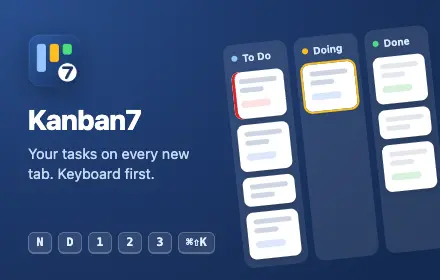
Your to-do list should live where you already look a hundred times a day. For most of us, that is the Chrome new tab. So we built Kanban7: a clean, fast Kanban board that replaces your new tab page, made for people who would rather type than click.
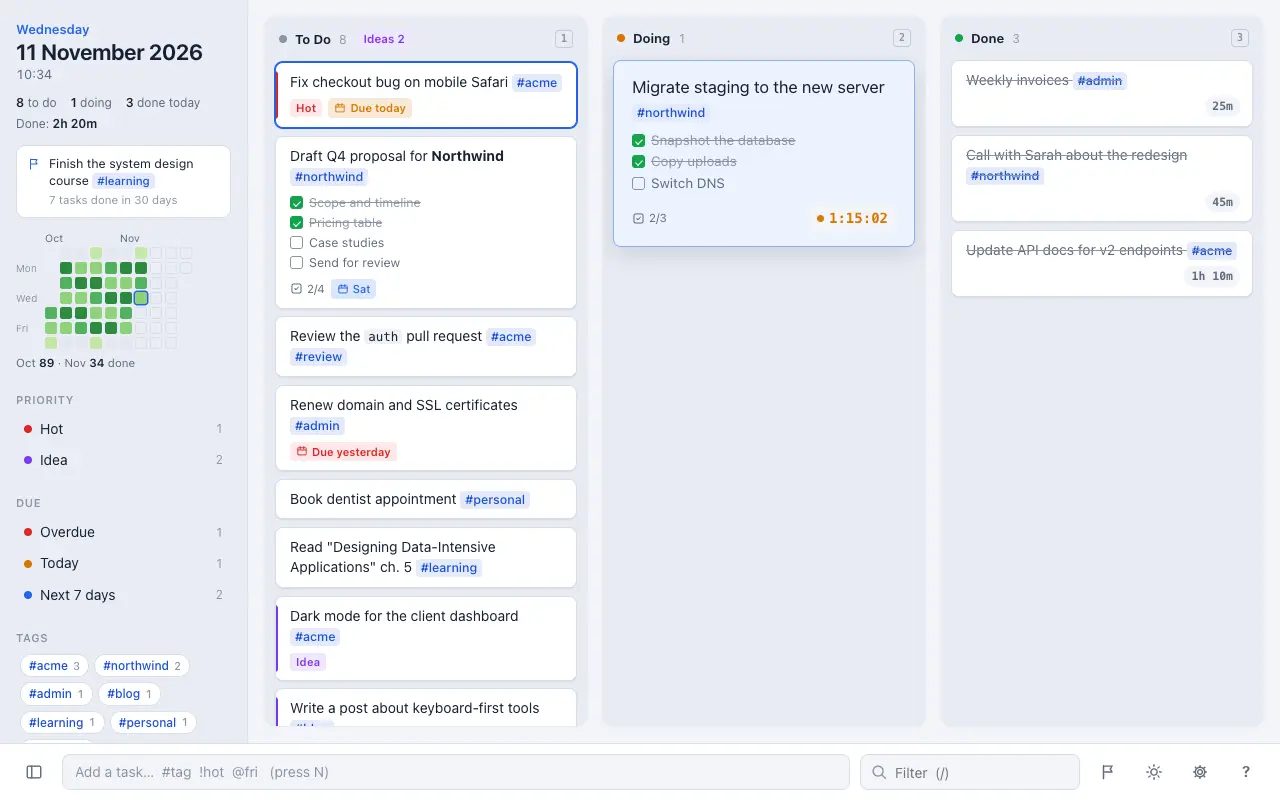
Open a tab and your work is already there, in three columns: To Do, Doing and Done. Add a task in two seconds, move it with one key, and finish the day knowing exactly what you got done.
Made for the keyboard
Press N, type, press Enter. Arrow keys move around the board, 1 2 3 send a task to a column, D moves it on, and Space starts its timer. Press ? to see every shortcut. Prefer the mouse? Drag cards, click to tick, double-click to edit.
Write tasks the way you think
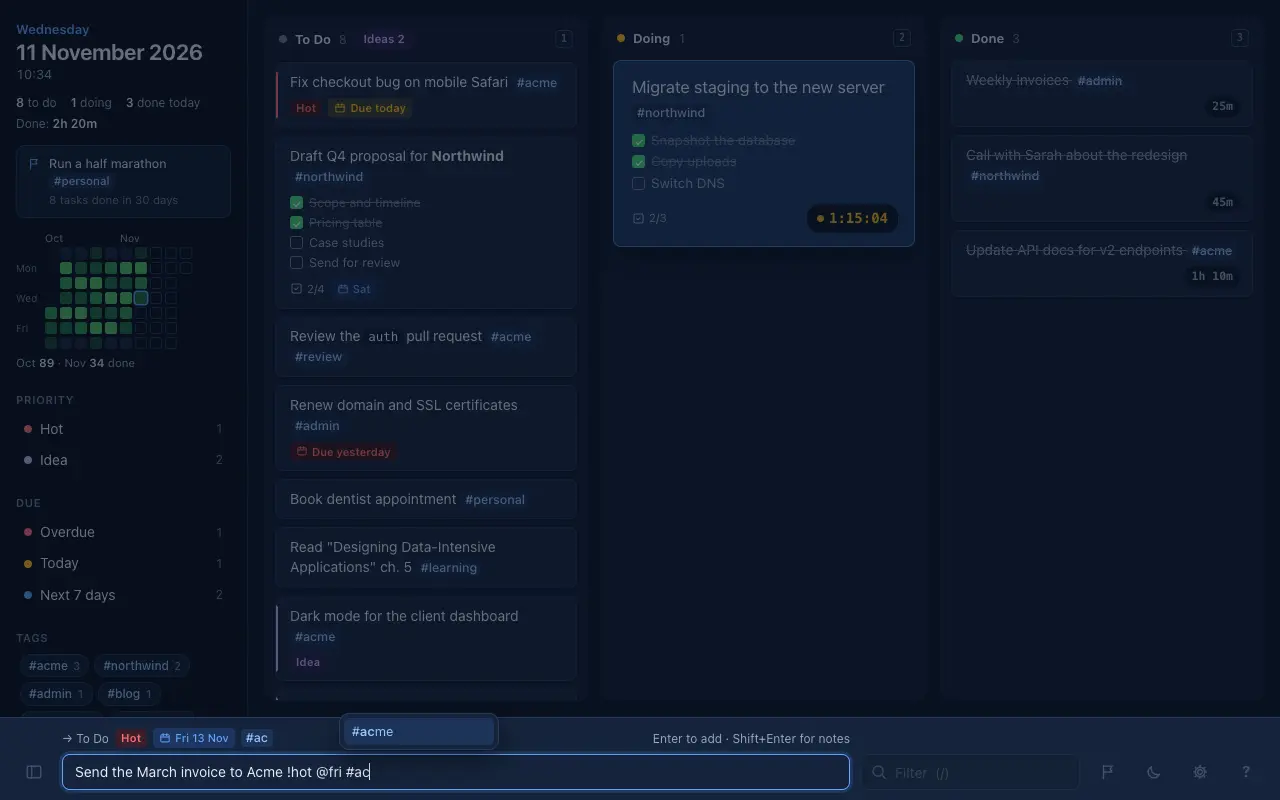
- #tags anywhere: #client, #home, #work/project
- !hot for what is urgent, !idea for later
- @fri, @5nov or @+3d sets a deadline, and overdue tasks turn red
- Notes with checklists you can tick off
- Paste a Markdown list and each item becomes its own task
- Tags are suggested as you type: #con offers #consult, and Tab completes it
Capture tasks from any page
- Select text on any website and press
⌘⇧K(Ctrl+Shift+Kon Windows): a box opens with your selection, ready to save - Or right-click the selection and choose Add to Kanban7
- The page title and link come along with the task, so you always know where it came from
See where your time goes
A timer runs while a task sits in Doing. Kanban7 adds up time per task, per day and per tag, and keeps “Done today” and your total time at the top of the board.
Look back and feel good
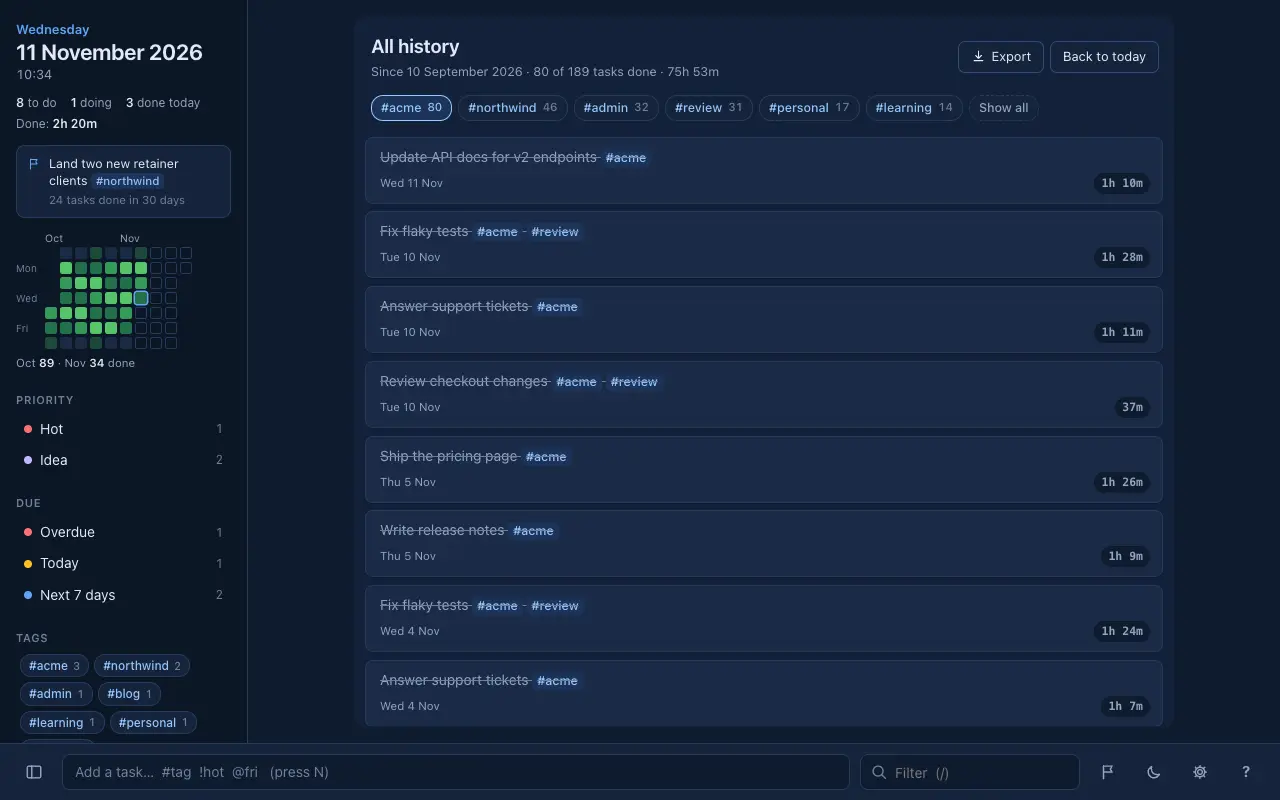
- A heatmap of everything you finished over the last two months
- Open any past day to see what you did
- All history: every task you have ever finished, filtered by tag in one click
- Export a day, a tag or your whole history as Markdown
Keep the big picture
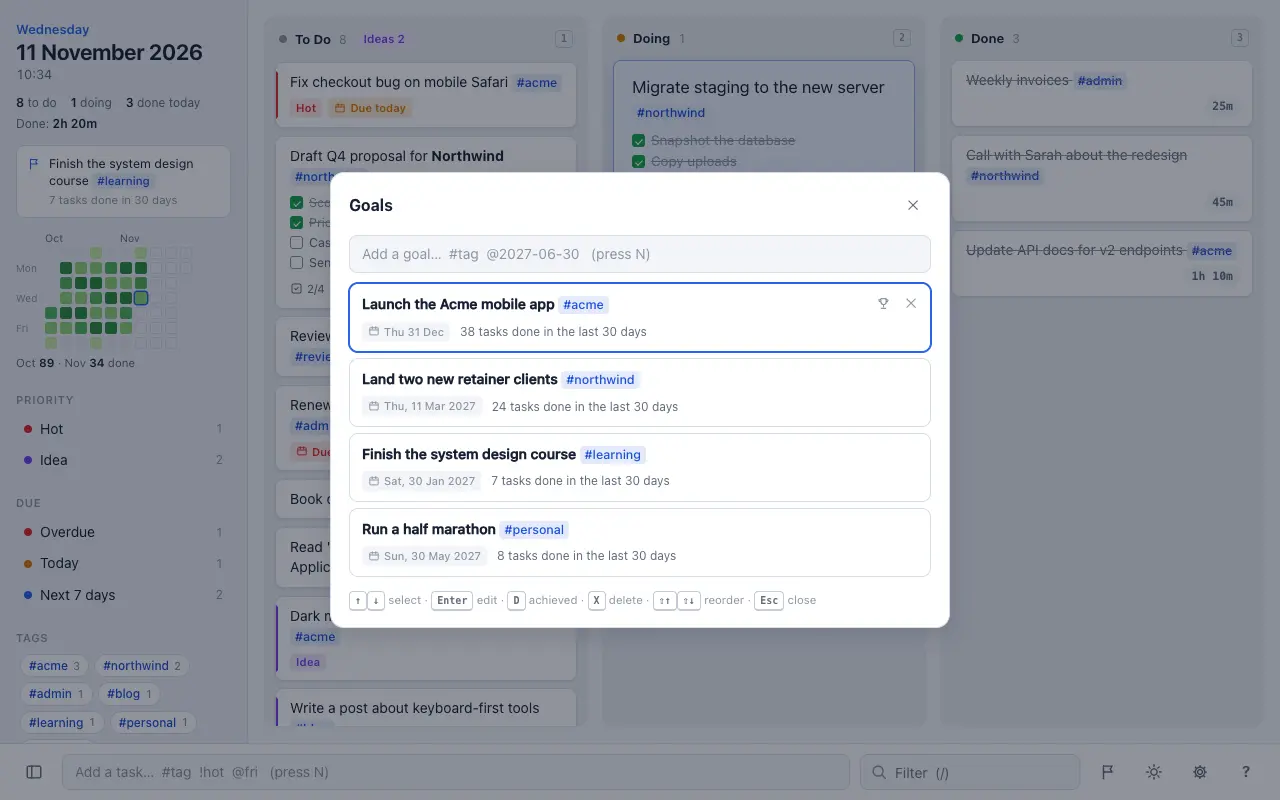
Long-term goals live in their own panel, each counting the tasks you finished toward it in the last 30 days. One goal is gently shown on the board as a reminder, and a little confetti appears now and then as you clear your tasks (you can turn that off).
Stays out of your way
- Filter by text, tag, priority or deadline
- Hide your ideas when they crowd To Do
- Light and dark themes, or follow your system
- Quick and light, even with years of history on an older laptop
Your data stays yours
No account, no sign-up, no ads and no tracking. Your tasks live in Chrome on your computer and sync between your computers through your own Chrome sync. You can save each finished day as a Markdown file in a folder you choose, and export or import a full backup at any time. Kanban7 never sends your tasks anywhere else.
Get started
Install Kanban7 from the Chrome Web Store, open a new tab, press N and add your first task.
Kanban7 privacy policy
Last updated: 11 November 2026
Kanban7 is a Chrome extension made by Laman7. This policy explains what happens to your information when you use it.
What Kanban7 collects
Nothing. Kanban7 does not collect, transmit, sell or share any personal data. There is no account, no analytics, no advertising and no tracking of any kind.
Where your data is stored
Your tasks, notes, goals, past days and settings are stored by Chrome on your own computer using Chrome’s storage. If you have Chrome sync turned on, Chrome syncs this data between your computers through your Google account, under Google’s own privacy terms. Laman7 has no access to it.
If you choose a folder for daily Markdown files, Kanban7 writes those files only to that folder on your computer. Exports and backups are files you save yourself.
Permissions and why they are needed
- storage and unlimitedStorage: to keep your board, history, goals and settings in Chrome, including years of finished days
- activeTab: when you press the quick-add shortcut, to read the text you selected on the page you are on. Only on that tab, and only when you press it
- scripting: to show the quick-add box over that page, and a short “Added” note after a right-click add. Only on the tab you are using, and only when you ask
- contextMenus: to add “Add to Kanban7” to the menu when you right-click selected text
- New tab override: to show your board on the new tab page
When you capture a task from a page, its title and link are saved with the task in your own Chrome storage. They are not sent anywhere else.
Remote code and third parties
All of Kanban7’s code is included in the extension package. It does not load remote code and does not use third-party services.
Deleting your data
You can delete tasks and history inside Kanban7 at any time. Removing the extension from Chrome deletes the data it stored on that computer; data synced through Chrome sync can be cleared from your Chrome sync settings.
Changes and contact
If this policy changes, the updated version will be posted on this page with a new date. Questions? Contact Laman7.